Manual Accounts & Cash
Not all accounts need to be connected automatically. Manual accounts are perfect for cash, assets, or institutions that don't support automatic syncing.
When to Use Manual Accounts
Manual accounts are ideal for cash, physical assets (cars, property), unsupported banks, and crypto wallets.
Creating a Manual Account
Go to the Accounts page and click "New Account". Instead of searching for a bank, click "Create Manual Account".
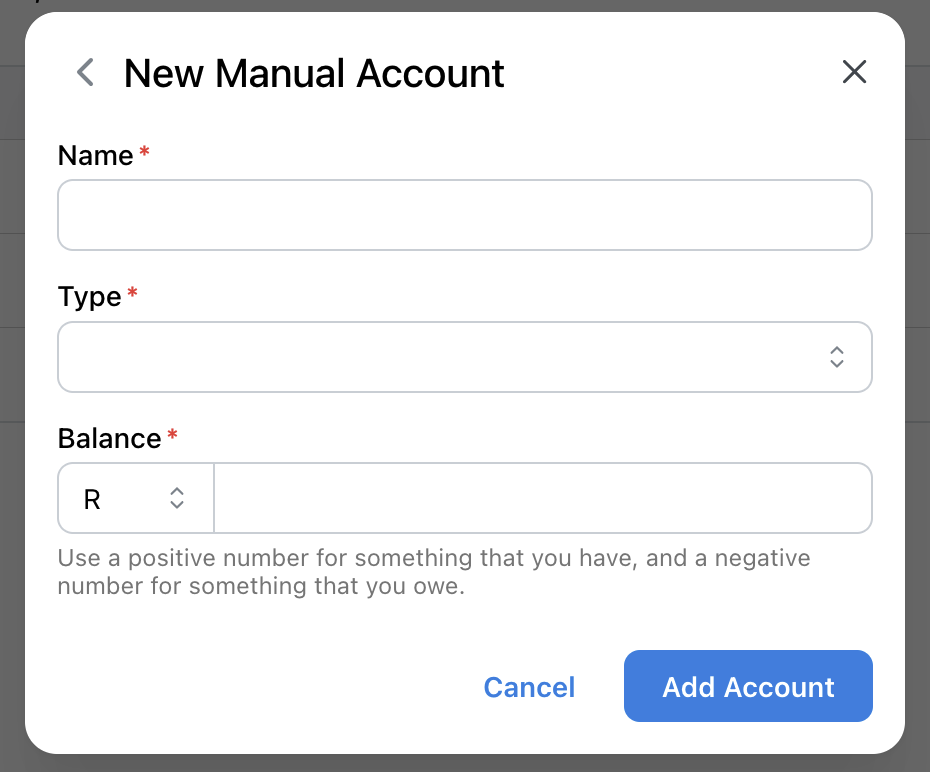
Enter the account name, type, currency, and starting balance. Click "Create" to add the account.
Adding Transactions Manually
For manual accounts, you will need to add transactions yourself. Go to the Transactions page and click "New Transaction".
Fill in the amount, date, description, and category. Assign it to your manual account and save.
You can also import transactions in bulk using Data Import.
Updating Account Balances
If you need to manually update the account balance, click into the account and on the top right select "Set Balance". From this menu you can also view all your history of balances by clicking "Manage Balances".